
Article on:
Studio FAQs
How can I change my display picture?
Your Display Picture (DP) is the first thing buyers and artists see on your profile — so make it count! Updating it is quick and easy.
Steps to change your display picture:
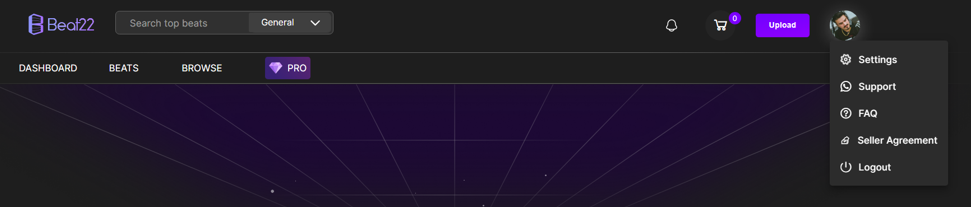
- 1. Go to your Settings
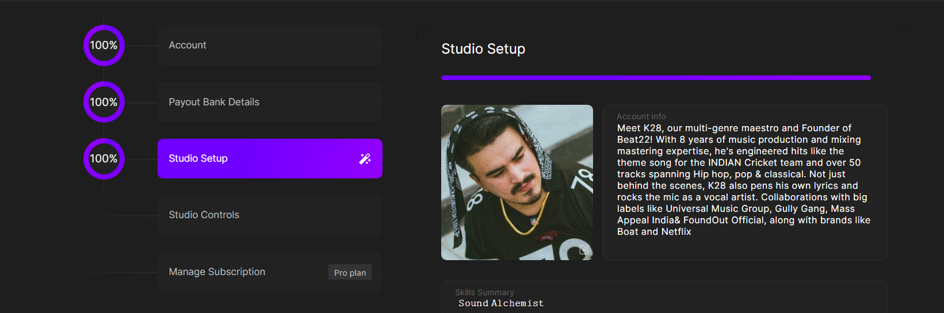
- Click on the Studio Setup tab
- Click on the Profile Picture
- Choose your image from your device
- Click Submit
Your new DP will be updated instantly across the platform.
Tips for a Great DP:
- Use a clear, high-quality image
- Avoid logos with text that’s too small to read
- Show your face or brand identity — it builds trust!
(DISCLAIMER: Beat22 does not legally represent any producers, sellers, and artists via this Platform. Beat22 is only recommending license terms as per universally acceptable industry practices. You are advised to consult with independent legal counsel before licensing any music and/or entering any transaction via Beat22 Platform.)


