
Article on:
Profile Related FAQs
How do I share a beat on Beat22?
Found a beat you love and want to share it with your friends, artist, or producer? Beat22 makes it super easy to share beats directly from the platform in just a few clicks.
Here’s how you can do it:
Step-by-Step: How to Share a Beat
- Go to beat22.com
Browse the platform and find the beat you want to share.
- Click on the 3 Vertical Dots (⋮)
On the beat card (top right corner), click the three vertical dots next to the price.
- Select “Share”
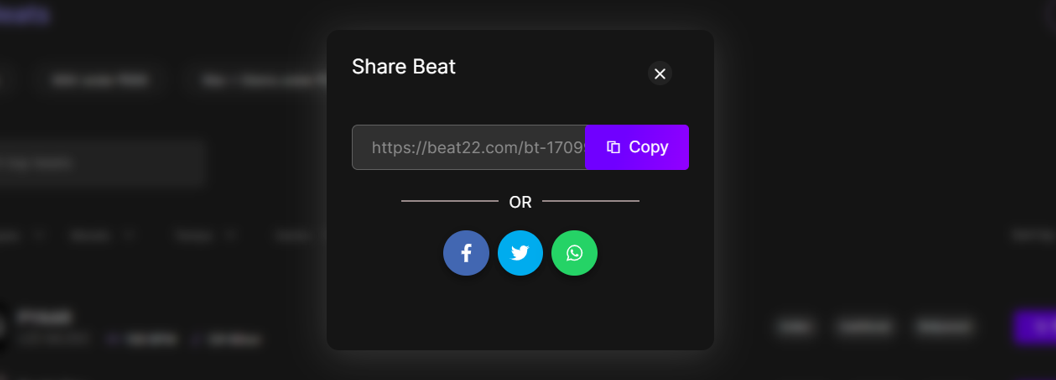
From the dropdown menu, click on “Share”. - Copy the Link or Use Social Options
- A link will be copied to your clipboard, which you can paste anywhere (WhatsApp, Instagram DM, email, etc.)
- Or you may see direct social sharing options like Twitter, Facebook, etc.
Now What?
Once you’ve shared the beat link:
- The recipient can preview the beat
- They can see pricing and licensing options
- If they like it, they can buy or make an offer right away!
Use It To:
- Share beat options with artists or collaborators
- Show your team before purchasing
- Recommend a beat to your friends or followers
(DISCLAIMER: Beat22 does not legally represent any producers, sellers, and artists via this Platform. Beat22 is only recommending license terms as per universally acceptable industry practices. You are advised to consult with independent legal counsel before licensing any music and/or entering any transaction via Beat22 Platform.)


