
Article on:
Profile Related FAQs
How can I change my profile picture on Beat22?
Want to personalize your Beat22 account with your own profile photo? It’s super easy and takes just a few seconds!
Follow this step-by-step guide to update your profile picture:
Step-by-Step: Update your profile picture
- Log in to Your Account
Go to beat22.com and sign in. - Click on your profile icon (Top right corner)
Once logged in, you’ll see your profile icon at the top-right of the screen. Click on it to open the menu.

- Go to “Settings”
From the dropdown, select “Settings” to open your account settings.

- Click on the profile picture area
You’ll see your current profile photo (or a placeholder image). Click on it.
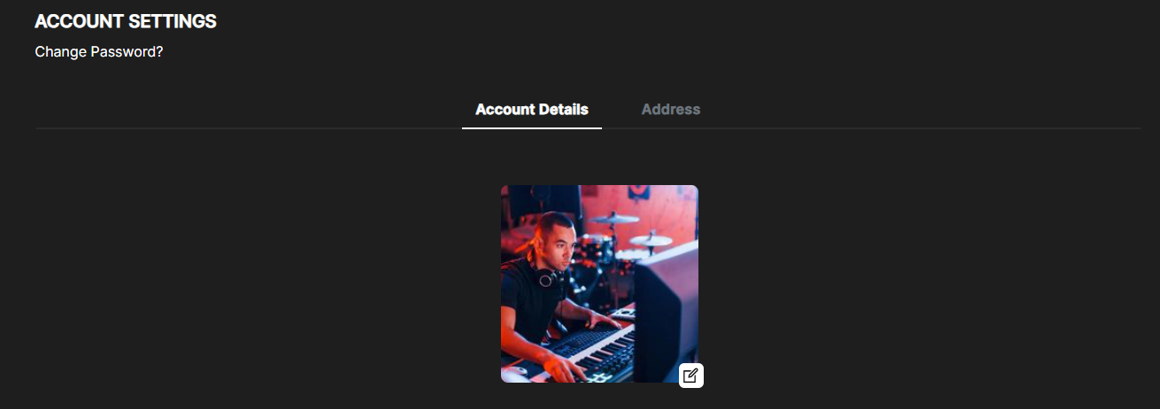
- Upload a new picture
Select a photo from your device and upload it. Make sure the image is clear and appropriate. - Save changes
Once uploaded, your profile picture will update automatically. You’re all set!
You can update it anytime
Want to change your photo again later? Just repeat the steps above.
(DISCLAIMER: Beat22 does not legally represent any producers, sellers, and artists via this Platform. Beat22 is only recommending license terms as per universally acceptable industry practices. You are advised to consult with independent legal counsel before licensing any music and/or entering any transaction via Beat22 Platform.)


