General
  • General
  • Buyer
  • Content Management
  • Licensing Content
  • Licensing Content for Buyers
  • Post Purchase & Orders
  • Profile Related FAQs
  • Purchasing & Pricing
  • Sales & Earnings
  • Seller
  • Studio FAQs
  • Troubleshooting
General
  • General
  • Buyer
  • Content Management
  • Licensing Content
  • Licensing Content for Buyers
  • Post Purchase & Orders
  • Profile Related FAQs
  • Purchasing & Pricing
  • Sales & Earnings
  • Seller
  • Studio FAQs
  • Troubleshooting

How can I download my purchased beats?

Bought a beat and ready to download your files? Beat22 makes it quick and easy to access all your purchased beats, licenses, and invoices right from your account.

Follow this simple guide to download your beats anytime.

  1. Log in to your Beat22 account
    Visit beat22.com and sign in with your buyer account.
  2. Click on “Browse” at the top
    Once logged in, you’ll see the “Browse” button at the top of the page. Click on it.

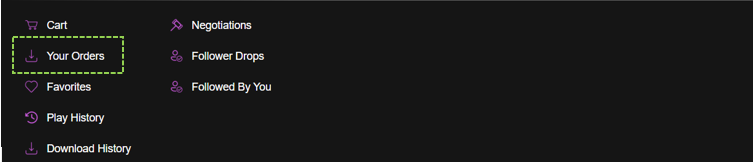
  3. Go to “Your Orders”
    In the dropdown, click on “Your Orders”. This will open your full order history.
  4. Select the Beat You Purchased
    Find the beat you’ve purchased from the list and click on it.
  5. Download Your Files
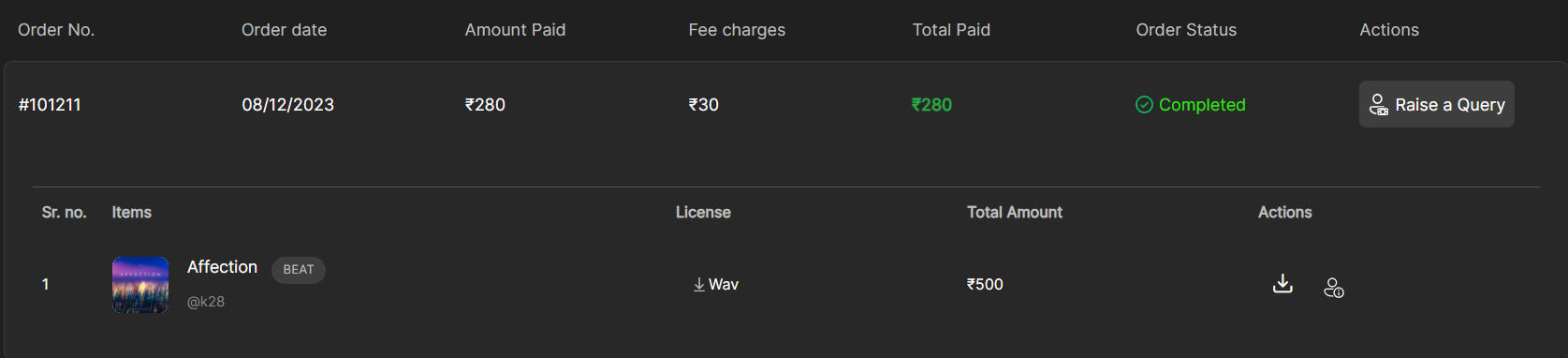
    From the beat’s order details page, you’ll be able to:
  •  Download the media file (MP3/WAV/Stems)
  •  Download the license PDF
  •  Access your invoice and payment receipt
Quick Tip:

Your files will always remain available in your account under “My Orders.” You can return any time to re-download if needed.

(DISCLAIMER: Beat22 does not legally represent any producers, sellers, and artists via this Platform. Beat22 is only recommending license terms as per universally acceptable industry practices. You are advised to consult with independent legal counsel before licensing any music and/or entering any transaction via Beat22 Platform.)

Not finding what you are looking for?

Chat with us or send us an email.

Scroll to Top