
Good news, you don’t need to search for or ask anyone for a coupon code on Beat22!
If a seller has added a coupon to their beat, the system will automatically apply it at checkout. No manual entry. No extra steps.
Here’s How It Works:
- Pick a Beat
Browse and choose any beat you like on Beat22.com.

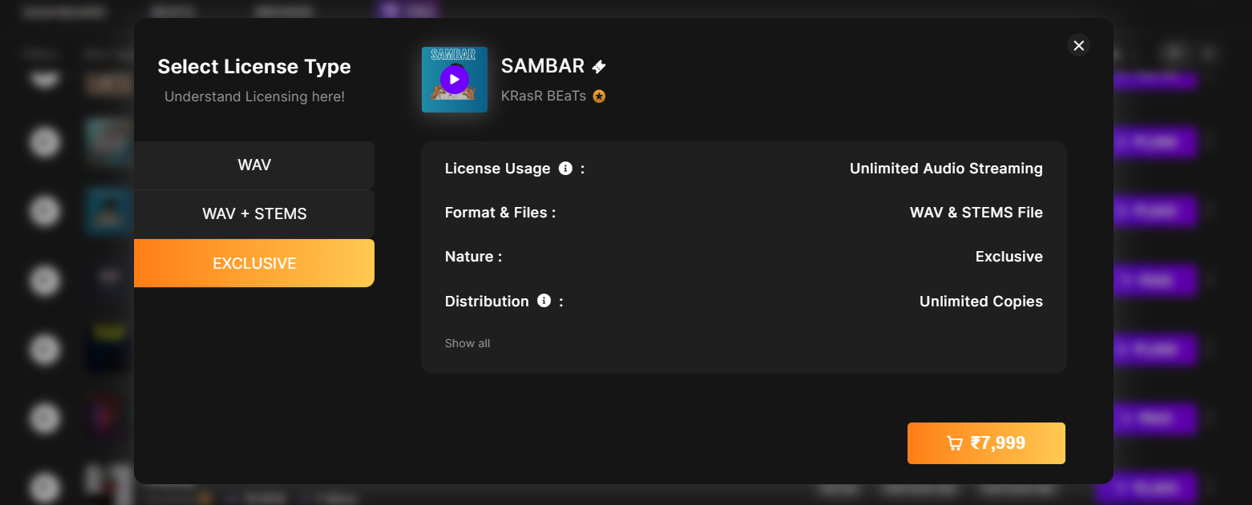
- Select a License Type
Click on the price next to WAV, WAV + Stems, or Exclusive to add the beat to your cart.
- Open Your Cart
Click the cart icon at the top-right of the site to view your order.

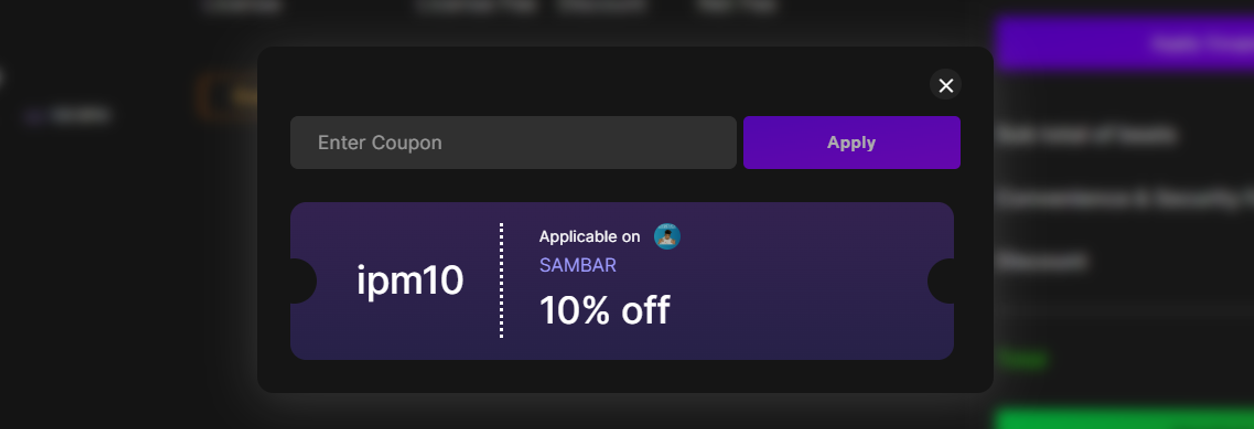
- Coupon Auto-Applies
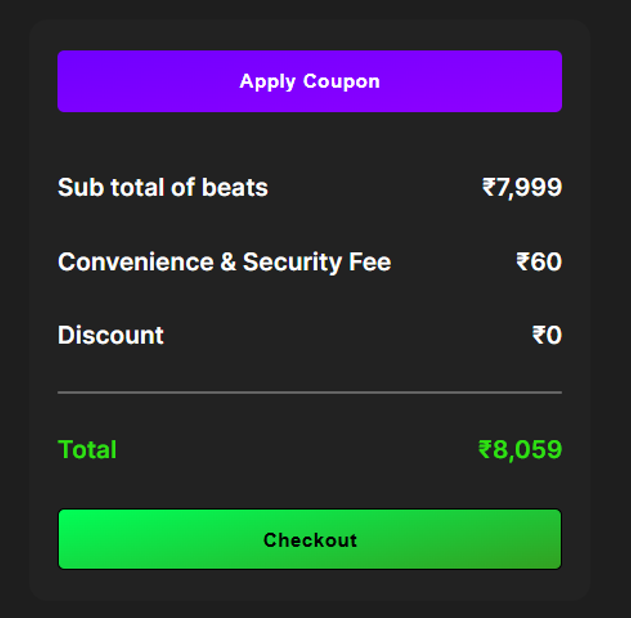
If the seller has a coupon on that beat, the discount will automatically reflect in your cart.
- Complete Payment
Just proceed to payment with the discounted total.
Important:
- You do not need to enter any code manually.
- If a beat has a coupon, it will apply automatically.
- You don’t need to ask anyone for a code. If it’s available, you’ll see the discount right away.
Now you can focus on making music and saving smart.
Need help? Reach us anytime at support@beat22.com