Good news, you don’t need to search for or ask anyone for a coupon code on Beat22! If a seller has added a coupon to their beat, the system will automatically apply it at checkout. No manual entry. No extra steps. Here’s How It Works:
Pick a Beat Browse and choose any beat you like on Beat22.com.

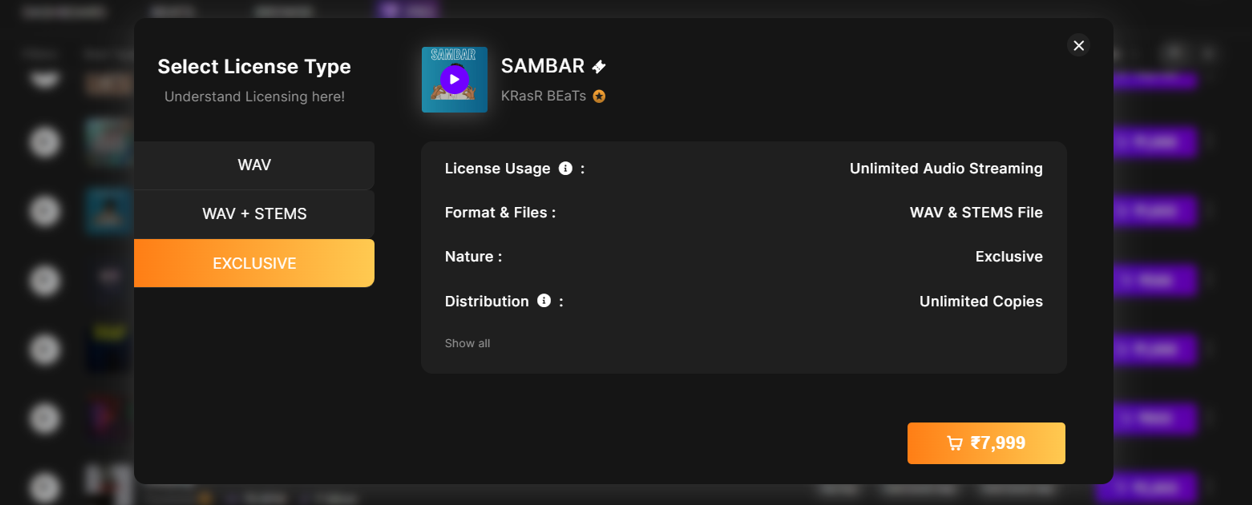
Select a License Type Click on the price next to WAV, WAV + Stems, or Exclusive to add the beat to your cart.
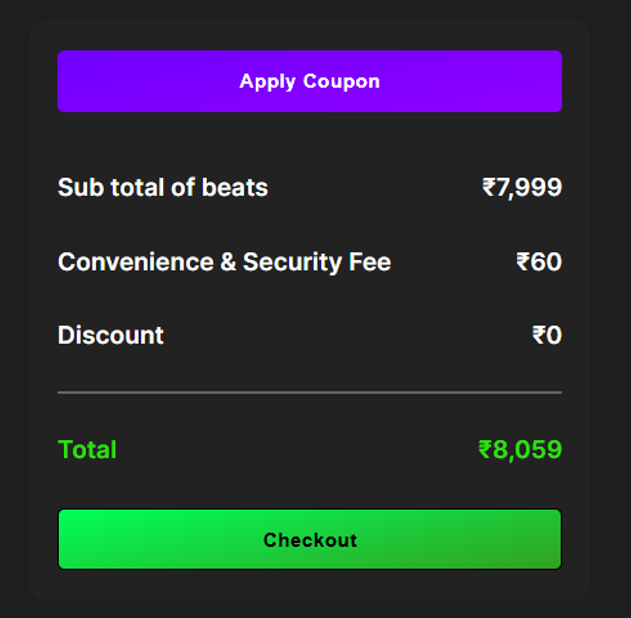
Open Your Cart Click the cart icon at the top-right of the site to view your order.

Coupon Auto-Applies If the seller has a coupon on that beat, the discount will automatically reflect in your cart.
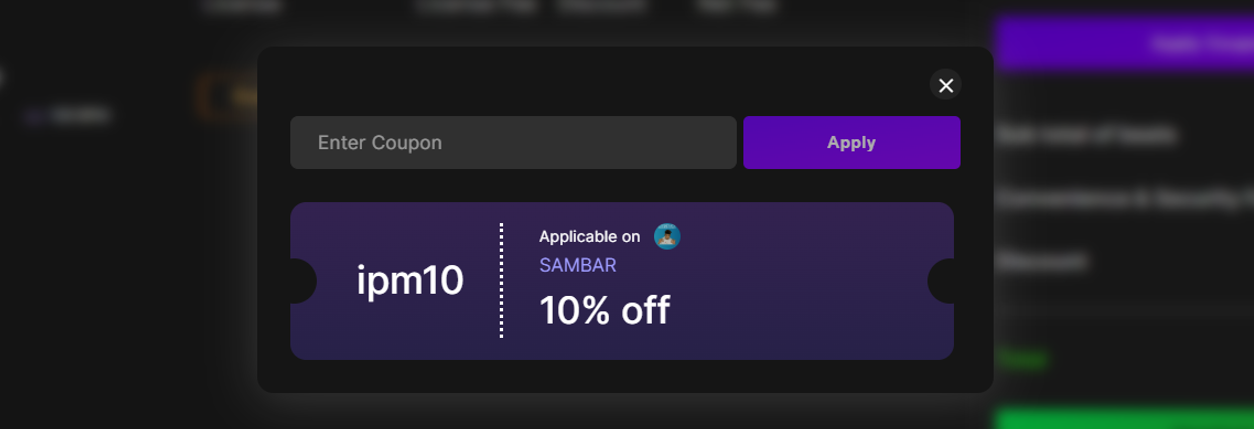
Complete Payment Just proceed to payment with the discounted total.


Important:
- You do not need to enter any code manually.
- If a beat has a coupon, it will apply automatically.
- You don’t need to ask anyone for a code. If it’s available, you’ll see the discount right away.
Now you can focus on making music and saving smart. Need help? Reach us anytime at support@beat22.com