Buying a beat on Beat22 is super simple. Here’s exactly how it works:
Step-by-Step guide:
1. Choose Your Beat Browse the Beat22 library and find the beat you like. 2. Click the Price Button Once you’ve decided, click the price button shown on the beat. This is also the "Buy" button.

3. Select your license type After clicking, you’ll be shown three options:
- WAV (MP3 + WAV files)
- WAV + Stems (Full project-ready files)
- Exclusive License (One-time, you own it)
Click the price again under your preferred option.

4. Beat added to cart Once clicked, your beat is added to the cart automatically. 5. Go to cart & apply coupons Head over to the cart. If any valid coupon is active, it’ll be applied automatically.

6. Checkout with your preferred payment method Beat22 supports:
UPI, Cards, Wallets, Net Banking (India)
PayPal & International Cards (Global)
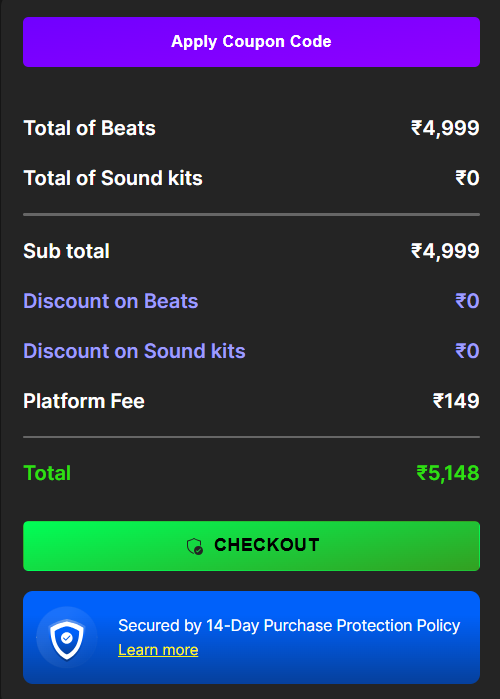

Make the payment and you’re done!
Learn how to get beats after purchase: Click here
Please click on “Browse” in the menu section
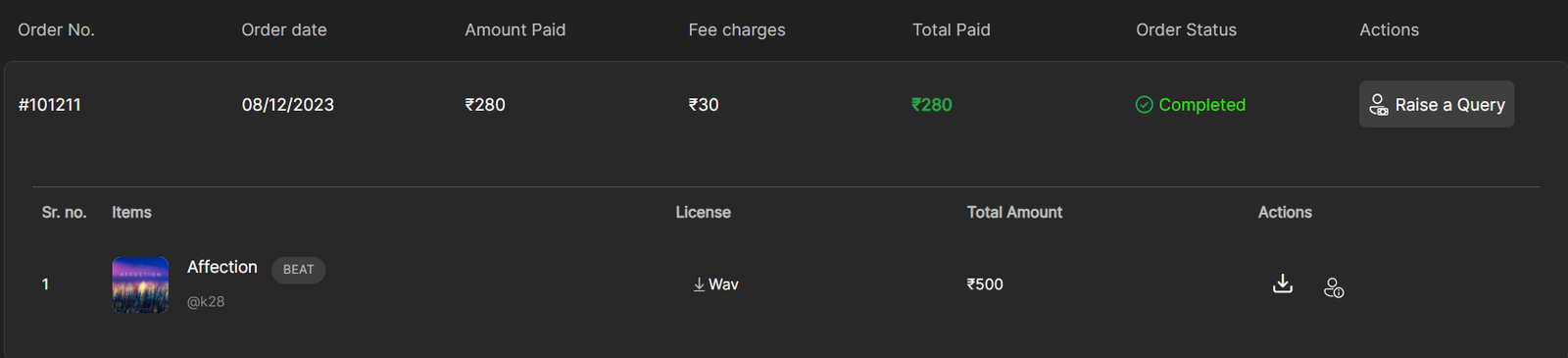
Then click on “Your Orders”
Now open the order, which contains the desired beat
Click the down arrow under “Actions” to download the beat files, or the down arrow under “License” to download the license document.
You also get a copy of everything in your email.

Now you’re all set to record and release your song. Got questions? Reach out at support@beat22.com anytime!