General
  • General
  • Buyer
  • Content Management
  • Licensing Content
  • Licensing Content for Buyers
  • Post Purchase & Orders
  • Profile Related FAQs
  • Purchasing & Pricing
  • Sales & Earnings
  • Seller
  • Studio FAQs
  • Troubleshooting
General
  • General
  • Buyer
  • Content Management
  • Licensing Content
  • Licensing Content for Buyers
  • Post Purchase & Orders
  • Profile Related FAQs
  • Purchasing & Pricing
  • Sales & Earnings
  • Seller
  • Studio FAQs
  • Troubleshooting
Article on: Licensing Content

How to disable a license for a specific beat?

Want to stop selling a license for a beat? Learn how to disable specific licenses on Beat22 in just a few easy steps.

  1. Log into your Beat22 seller account
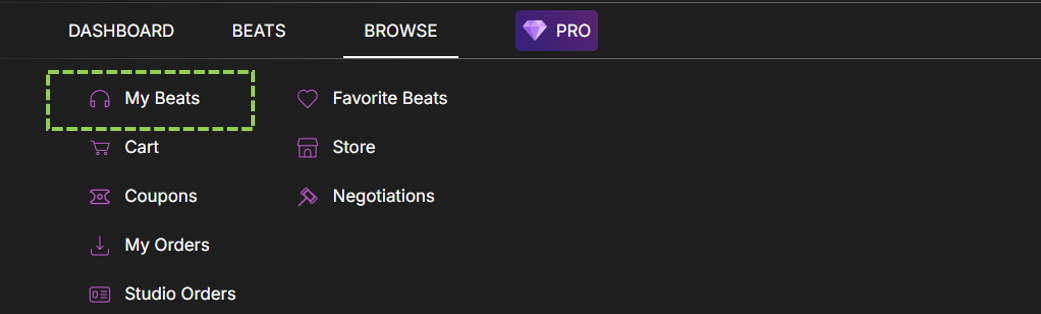
  2. Click on Browse at the top
  3. Click on “My Beats”
  4. Click on Edit option [circled]
  5. Scroll to the License Section
  6. Uncheck the License You Want to Disable (Non-Exclusive and Exclusive)
  7. Click “Submit”


(DISCLAIMER: Beat22 does not legally represent any producers, sellers, and artists via this Platform. Beat22 is only recommending license terms as per universally acceptable industry practices. You are advised to consult with independent legal counsel before licensing any music and/or entering any transaction via Beat22 Platform.)

Not finding what you are looking for?

Chat with us or send us an email.

Scroll to Top